
domain 网站建设app地推接单平台有哪些
ubuntu22.04 x11窗口环境手势控制
ubuntu x11窗口环境的手势控制并不优秀,我们可以使用touchegg去代替
这个配置过程非常简单,并且可以很容易在一定范围内达到你想到的效果,类比mac的手势控制
关于安装
首先添加源,并安装
sudo add-apt-repository ppa:touchegg/stable
sudo apt update
sudo apt install touchegg
安装完成后使用touchegg命令启动应用,重启电脑后touchegg会自动启动。
创建默认配置文件
mkdir -p ~/.config/touchegg && cp -n /usr/share/touchegg/touchegg.conf ~/.config/touchegg/touchegg.conf
关于配置
然后你可以编辑这个配置文件,他的位置在~/.config/touchegg, 你可以使用vim或gedit去编辑这个文本
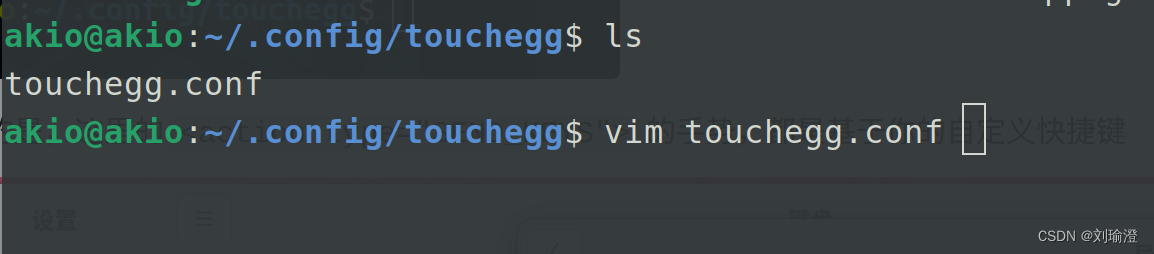 下面我提供了我的conf文件,你可以直接替换
他有那些作用
1、三指左右滑动可切换工作区
2、三指上滑可以显示概览窗口,即活动窗口,再次上滑可取消概览窗口
3、三指下滑可最小化当前窗口
4、三指内缩可关闭窗口,这是个持续动作,内缩回收可撤回
5、三指点击表示鼠标中键
6、四指上滑可显示全部菜单,再次上滑可回到概览窗口
7、四指左、右滑动,可将当前窗口移动至左、右工作区
8、四指外阔显示桌面
9、单指,双指保持正常逻辑
<touchégg><settings><property name="animation_delay">150</property><property name="action_execute_threshold">20</property><property name="color">auto</property><property name="borderColor">auto</property></settings><application name="All"><gesture type="SWIPE" fingers="3" direction="UP"><action type="SEND_KEYS"><repeat>false</repeat><modifiers>Super_L</modifiers><keys>S</keys><on>begin</on></action></gesture><gesture type="SWIPE" fingers="4" direction="UP"><action type="SEND_KEYS"><repeat>false</repeat><modifiers>Super_L</modifiers><keys>A</keys><on>begin</on></action></gesture><gesture type="SWIPE" fingers="3" direction="DOWN"><action type="MINIMIZE_WINDOW"><animate>true</animate></action></gesture><gesture type="SWIPE" fingers="4" direction="DOWN"><action type="CHANGE_DESKTOP"><direction>auto</direction><animate>true</animate><animationPosition>auto</animationPosition></action></gesture><gesture type="SWIPE" fingers="4" direction="LEFT"><action type="SEND_KEYS"><repeat>true</repeat><modifiers>Super_L</modifiers><keys>Shift_L+Left</keys></action></gesture><gesture type="SWIPE" fingers="4" direction="RIGHT"><action type="SEND_KEYS"><repeat>true</repeat><modifiers>Super_L</modifiers><keys>Shift_L+Right</keys></action></gesture><gesture type="PINCH" fingers="4" direction="OUT"><action type="SHOW_DESKTOP"><animate>true</animate></action></gesture><gesture type="TAP" fingers="2" direction="UNKNOWN"><action type="MOUSE_CLICK"><button>3</button><on>begin</on></action></gesture><gesture type="TAP" fingers="3" direction="UNKNOWN"><action type="MOUSE_CLICK"><button>2</button><on>begin</on></action></gesture><gesture type="PINCH" fingers="3" direction="IN"><action type="CLOSE_WINDOW"></action></gesture><!--<gesture type="SWIPE" fingers="3" direction="LEFT"><action type="CHANGE_DESKTOP"></action></gesture><gesture type="SWIPE" fingers="3" direction="RIGHT"><action type="CHANGE_DESKTOP"></action></gesture>--><gesture type="SWIPE" fingers="3" direction="LEFT"><action type="CHANGE_DESKTOP"><direction>next</direction><animate>true</animate><animationPosition>right</animationPosition><color>3E9FED</color><borderColor>3E9FED</borderColor></action></gesture><gesture type="SWIPE" fingers="3" direction="RIGHT"><action type="CHANGE_DESKTOP"><direction>previous</direction><animate>true</animate><animationPosition>left</animationPosition><color>3E9FED</color><borderColor>3E9FED</borderColor></action></gesture></application><application name="chromium-browser"><gesture type="PINCH" fingers="2" direction="IN"><action type="SEND_KEYS"><repeat>true</repeat><modifiers>Control_L</modifiers><keys>KP_Subtract</keys><decreaseKeys>KP_Add</decreaseKeys></action></gesture><gesture type="PINCH" fingers="2" direction="OUT"><action type="SEND_KEYS"><repeat>true</repeat><modifiers>Control_L</modifiers><keys>KP_Add</keys><decreaseKeys>KP_Subtract</decreaseKeys></action></gesture></application><application name="firefox"><gesture type="PINCH" fingers="2" direction="IN"><action type="SEND_KEYS"><repeat>true</repeat><modifiers>Control_L</modifiers><keys>KP_Subtract</keys><decreaseKeys>KP_Add</decreaseKeys></action></gesture><gesture type="PINCH" fingers="2" direction="OUT"><action type="SEND_KEYS"><repeat>true</repeat><modifiers>Control_L</modifiers><keys>KP_Add</keys><decreaseKeys>KP_Subtract</decreaseKeys></action></gesture></application><application name="google-chrome"><gesture type="PINCH" fingers="2" direction="IN"><action type="SEND_KEYS"><repeat>true</repeat><modifiers>Control_L</modifiers><keys>KP_Subtract</keys><decreaseKeys>KP_Add</decreaseKeys></action></gesture><gesture type="PINCH" fingers="2" direction="OUT"><action type="SEND_KEYS"><repeat>true</repeat><modifiers>Control_L</modifiers><keys>KP_Add</keys><decreaseKeys>KP_Subtract</decreaseKeys></action></gesture></application>
</touchégg>
关于你可以怎么简单配置
注意的是,这里的<action type="SEND_KEYS">的手势,都是基于你的自定义快捷键

如此处我将shift+super+右设置为将窗口右移一个工作区,那么我可以进行如下配置
<gesture type="SWIPE" fingers="4" direction="LEFT"><action type="SEND_KEYS"><repeat>true</repeat><modifiers>Super_L</modifiers><keys>Shift_L+Left</keys></action>
</gesture><gesture type="SWIPE" fingers="4" direction="RIGHT"><action type="SEND_KEYS"><repeat>true</repeat><modifiers>Super_L</modifiers><keys>Shift_L+Right</keys></action>
</gesture>
感谢您的翻阅